Sklik - EN - Grant Account Access
Step-by-step guide on how to grant access to your Sklik account
Oct 25, 2024●
1
Navigate to https://www.sklik.cz/lite
2
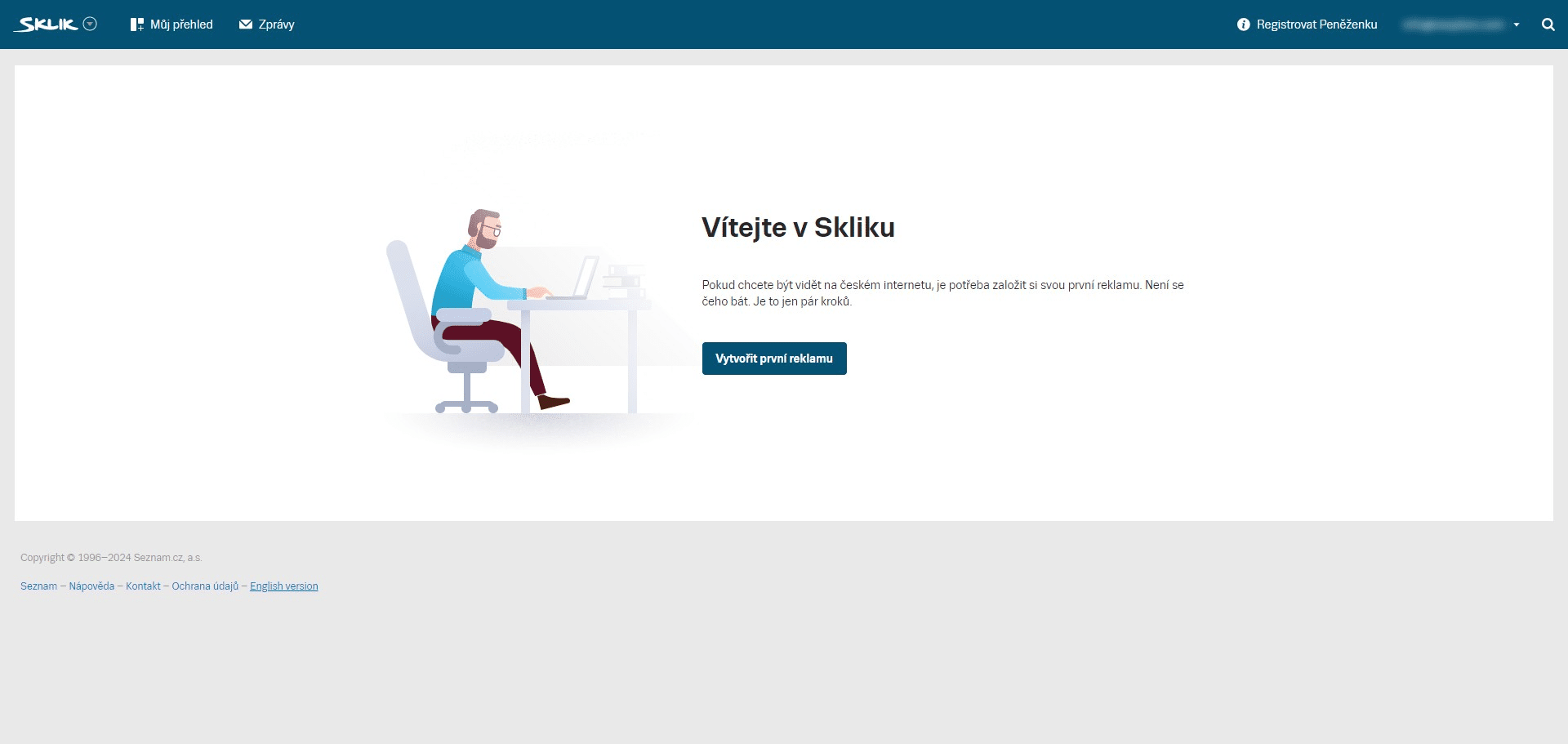
Switch to English by clicking on "English version"
3
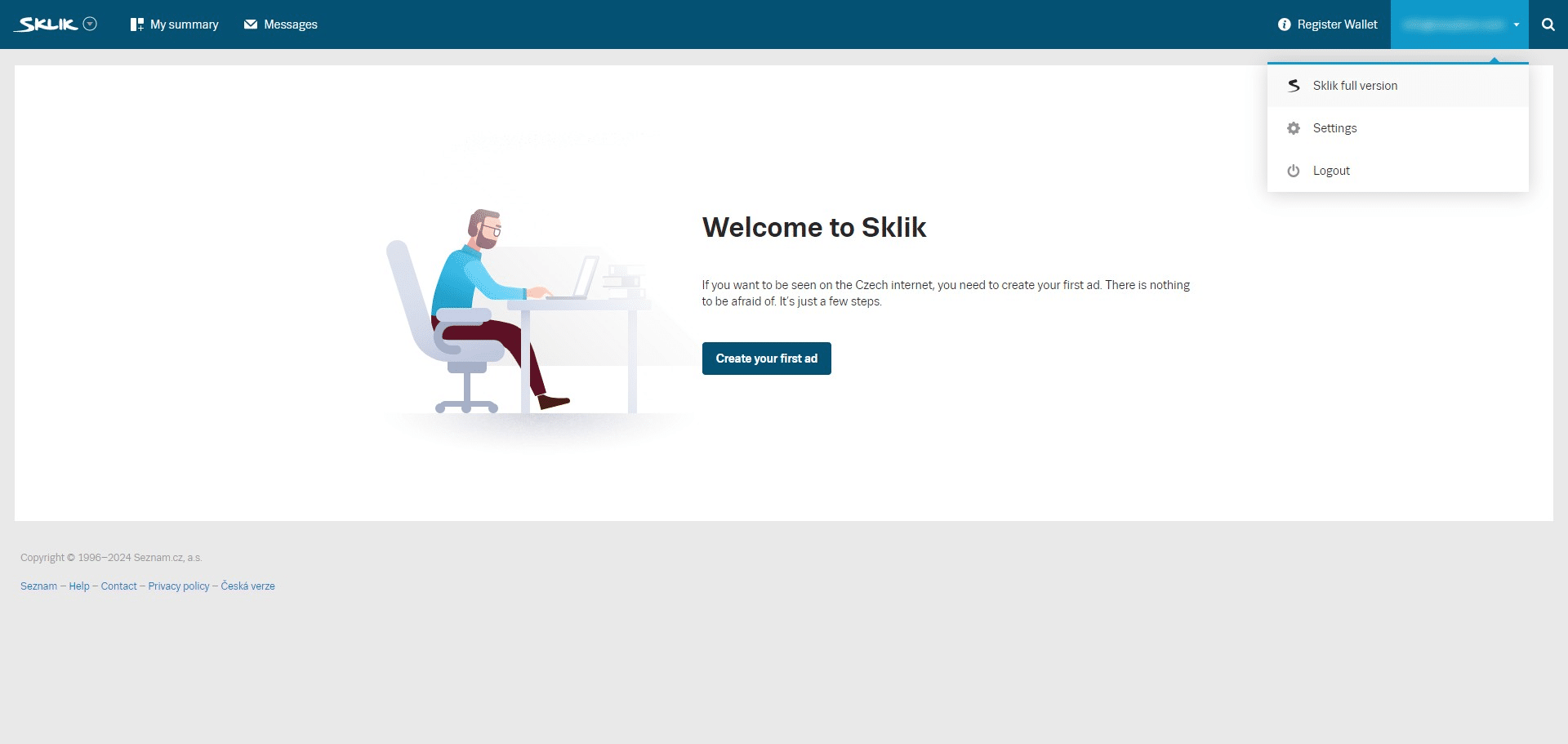
Click on your account in the top right corner and select "Sklik full version"
4
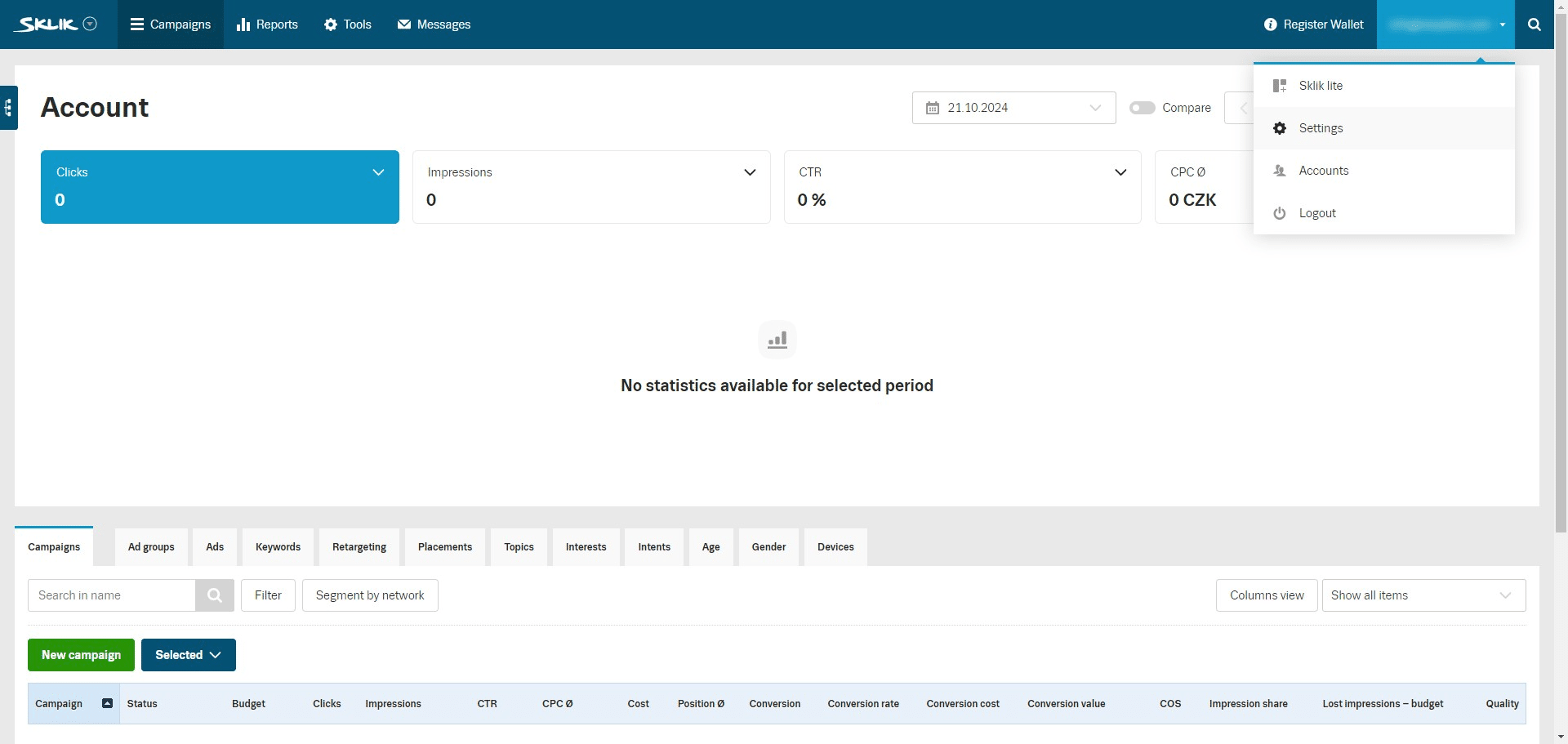
In the same menu click on "Settings"
5
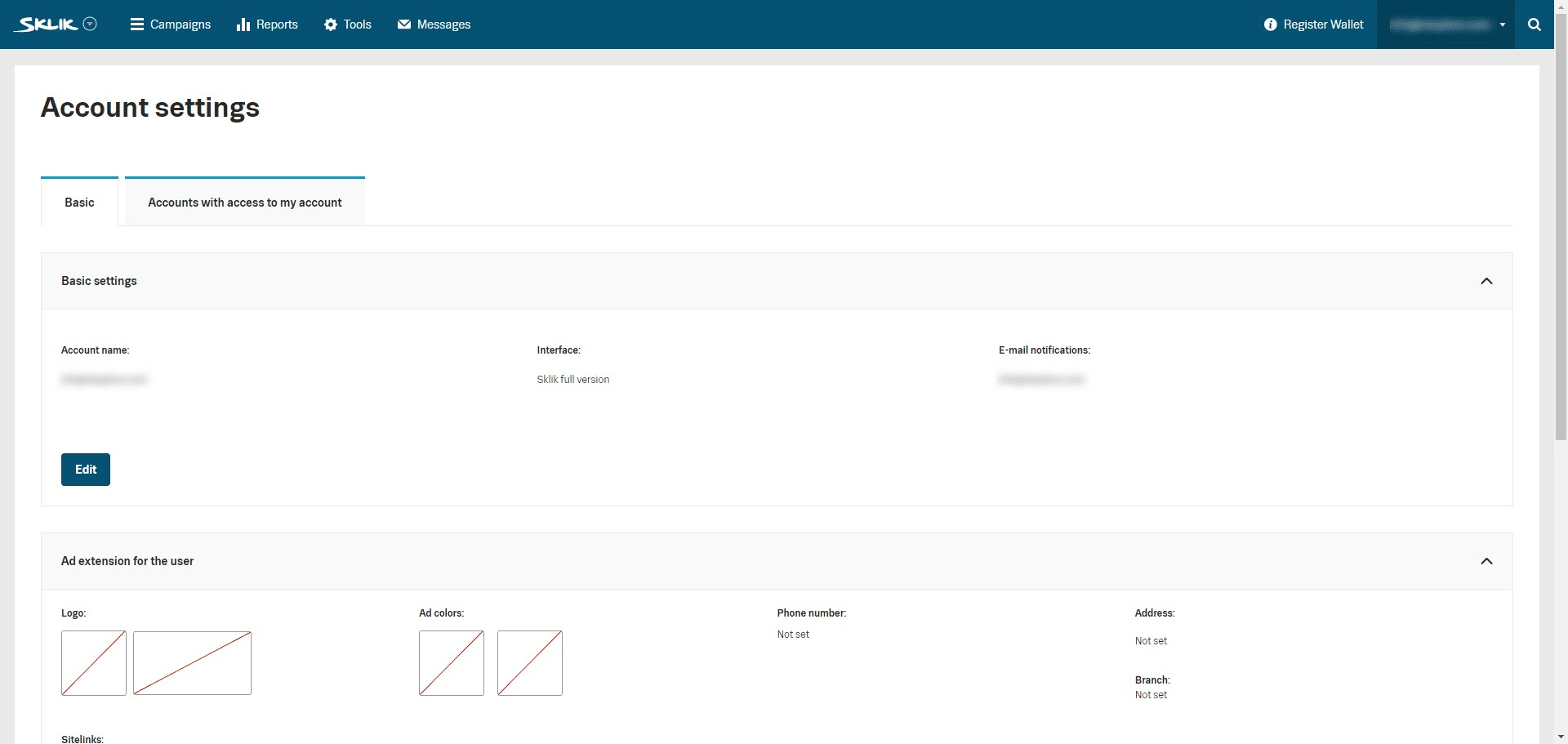
Click on "Accounts with access to my account"
6
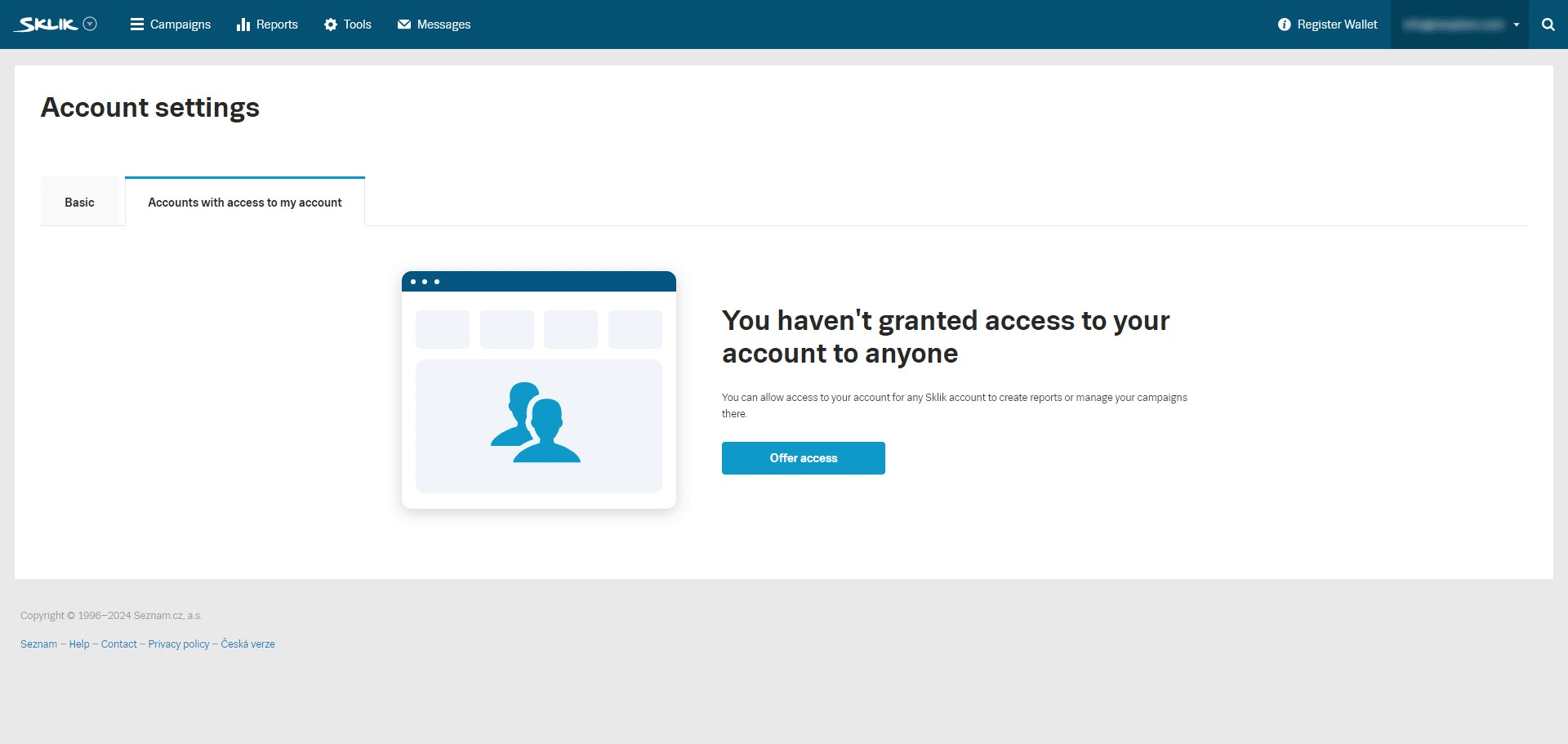
Click on "Offer access"
7
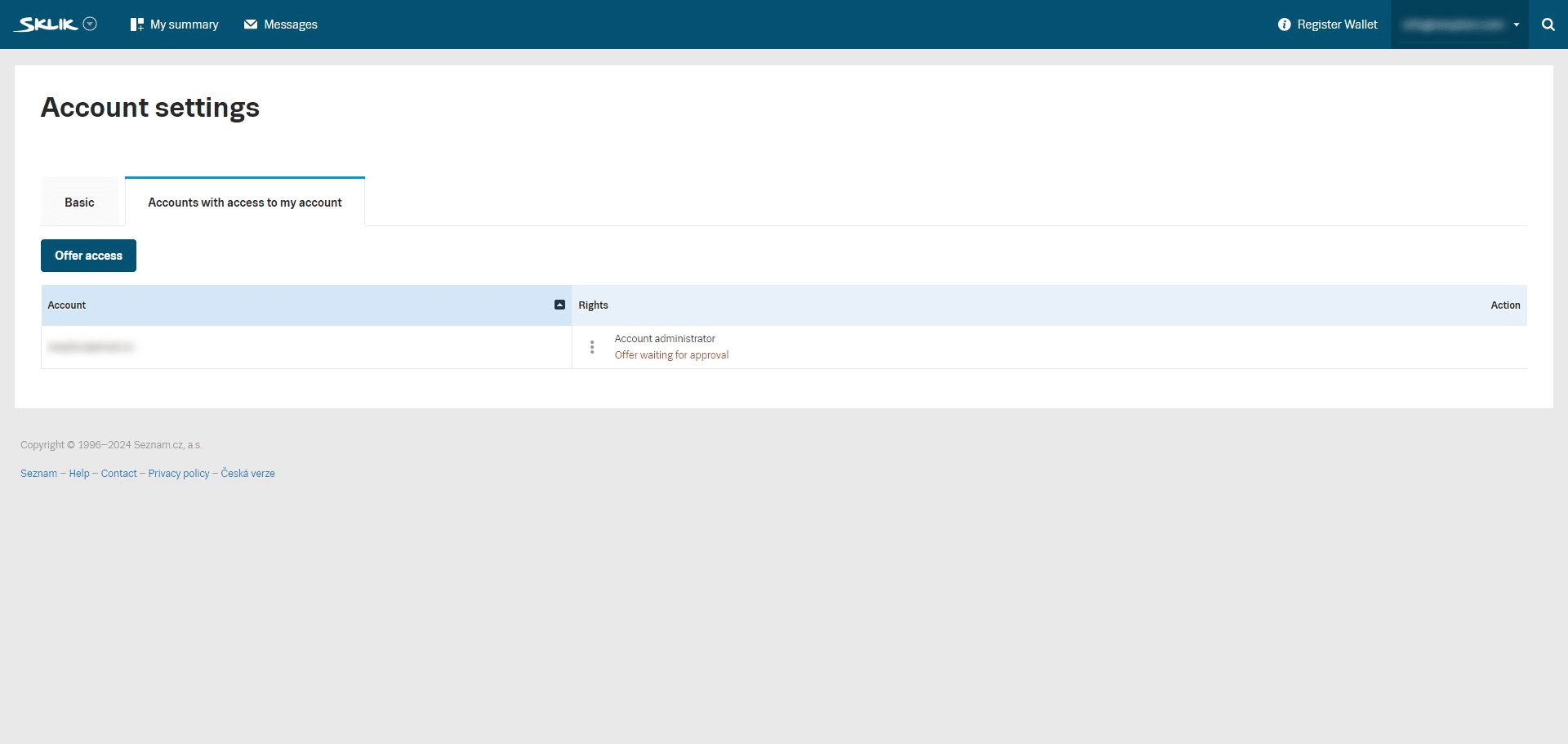
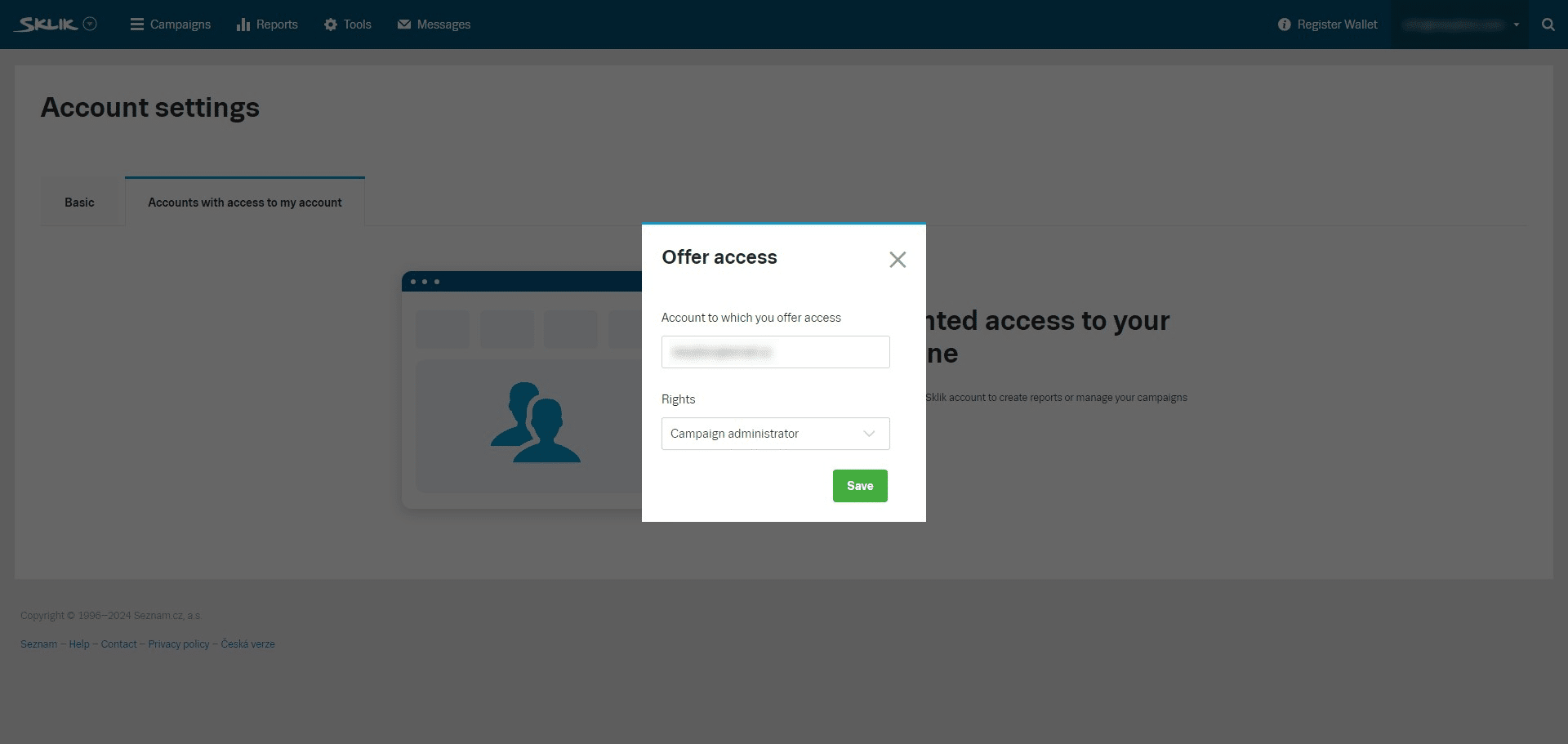
Fill out the provided account to grant access to, select the rights of "Account administrator" and click on "Save"
8
You've succesfully granted access to your account!